
Ebay Importer & Sync user guide
App installation
You can install the app directly by clicking install app link below
OR
You can follow the following steps:
- Open the Shopify App Store.
- Search for SP Ebay Importer & Sync.
- Click Add App, then follow the prompts to complete installation.
Connect Your Ebay Account
- From your Shopify Admin Dashboard, open the app.
- Click Connect eBay Account.
- Log in to your Etsy account and approve permissions.
This step is required to import listings from eBay or publish Shopify products to eBay.
Choose a pricing plan
- To start, you must select a pricing plan.
- Don’t worry—there’s a Free Plan available.
Free Plan Includes:
- Import up to 10 Ebay listings into Shopify.
- Create Ebay listings from your Shopify products.
- Automatic inventory sync for those 10 items.
- 👉 After 10 items, the cost is $0.10 per listing under the free plan.
- 👉 Upgrade to the Premium Plan to reduce the cost to $0.05 per listing.
Creating Shopify Products from Ebay Listings
Once the onboarding is completed, you can import your eBay listings into Shopify.
Please follow the steps below to import your existing eBay listings into Shopify.
- Go to eBay listings page
- Select the listings from the page
- Tick the checkboxes (left side) for the eBay listings you want to create in Shopify.
- Click Import Selected
- Once selected, click the Import Selected from bulk action button. Once that is done you will be shown a confirmation modal to verify your import.
- Confirm
- Your eBay listings should now start to import to Shopify.
- All your listings images and variations should be now created in Shopify
- In case of any issue please contact our support, we will be there to help you with any issue related to eBay listings import.
App usage limit increment or decrement
To prevent unexpected charges, we’ve set a usage limit of $15.00, $25.00 and $35.00 according to the plan. This ensures you’re not overwhelmed when usage fees are applied.
If you reach this usage limit and need to increase it, follow the steps below:
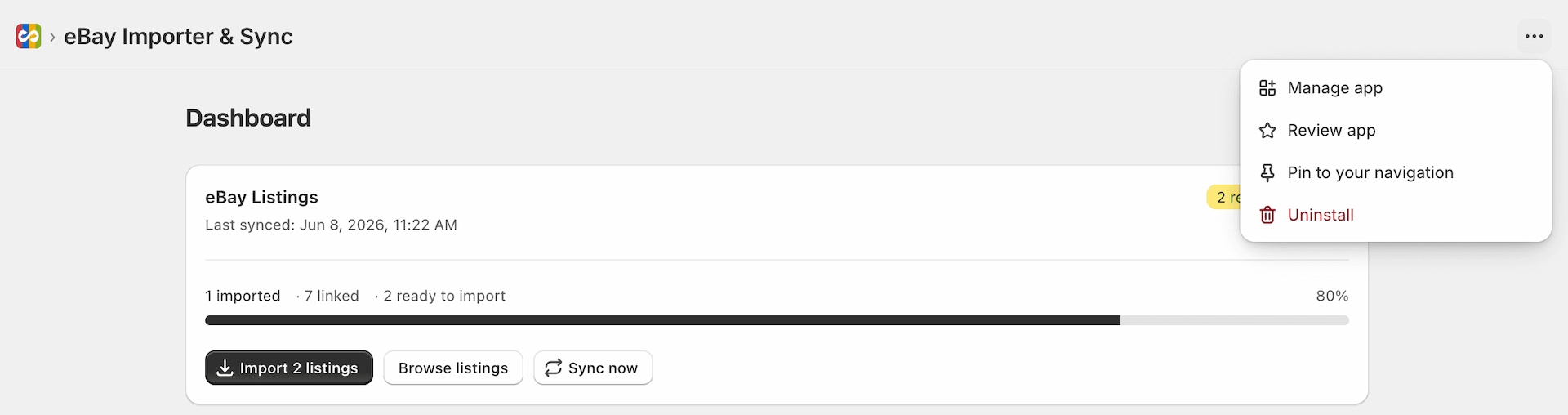
- Click the top-right corner of the app, as shown in the screenshot below, and select Manage App.
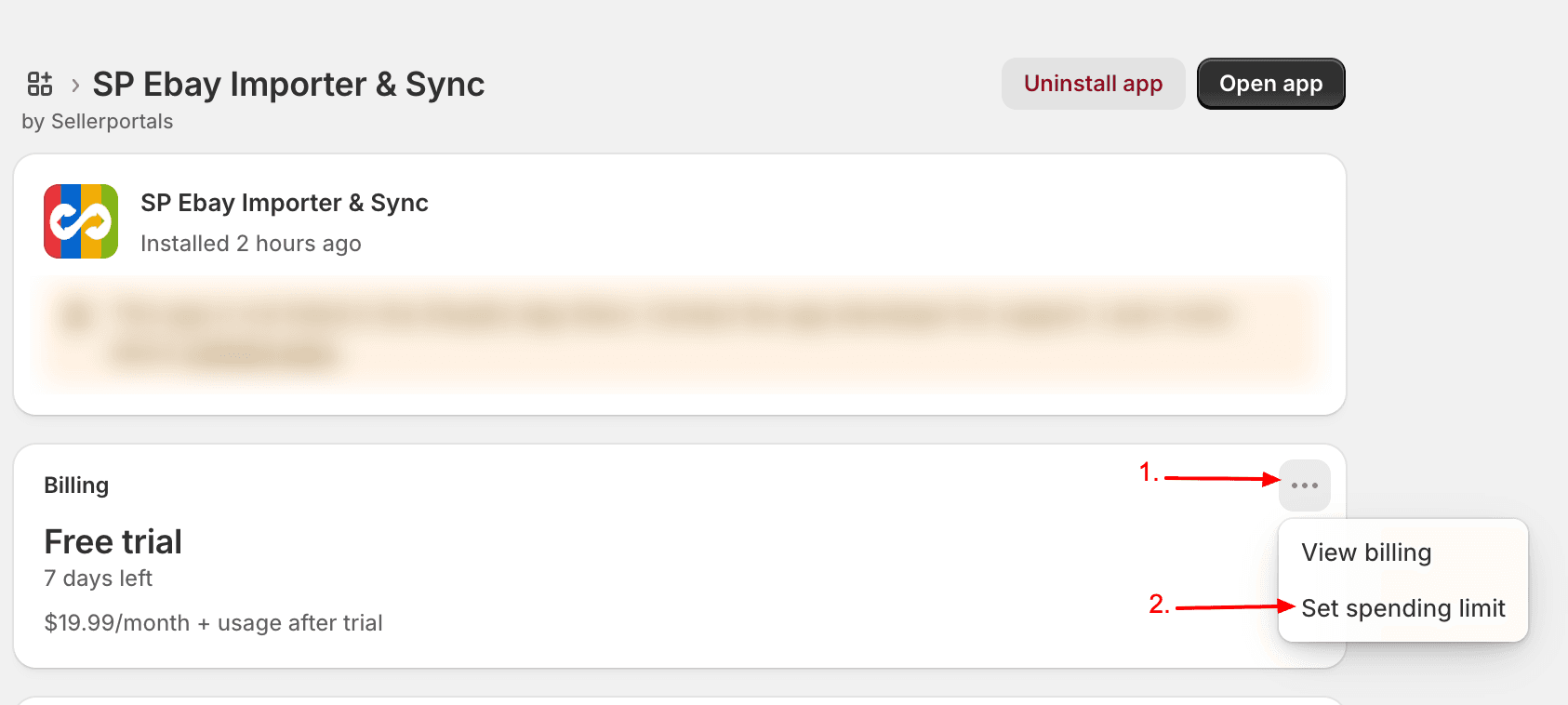
- You’ll be redirected to the app management page. In the Usage Charge section, click the right chevron icon, as shown in the screenshot below.
- A pop-up window will appear with an input field. Enter your desired new limit and click the “Set Limit” button.
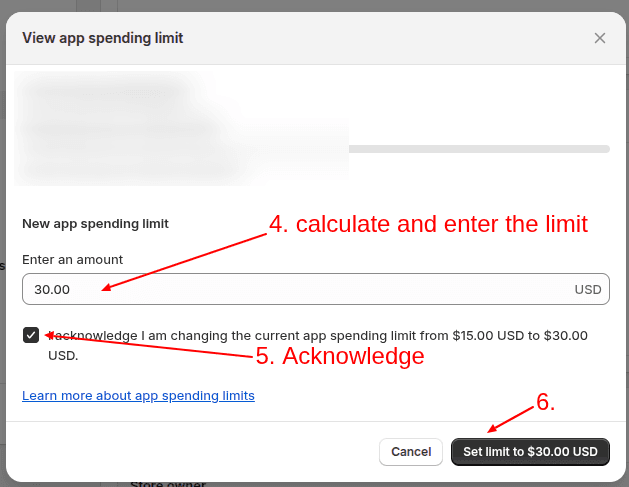
Once updated, your usage limit will be increased, allowing you to continue importing or exporting additional products without interruption.